GranClaw
Everything you wanted in OpenClaw. In one place.
GranClaw is a personal AI assistant you run on your own [[machine]]. Give it a [[browser]], saved logins, [[persistent-memory]], and a real-time dashboard — then tell it what to do. It drafts your posts, runs your errands on the web, tracks your work in a kanban, and writes back to you on Telegram. Everything happens locally, on your hardware, where you can see it.
No black boxes. No gated features. No vendor lock-in. Bring your own LLM — OpenAI, Anthropic, Gemini, Groq, or OpenRouter. Swap providers from the settings panel whenever you like.
# The Stack
the-stack.mdMost "agent frameworks" are a BYO-everything scavenger hunt. You wire together a browser plugin, a vector DB, a kanban service, a notion plugin, a secrets manager, a cron worker, a Telegram bot library, a usage tracker — twelve tools, twelve accounts, twelve surfaces to keep updated. GranClaw ships all of it in one page.
# Mission Control
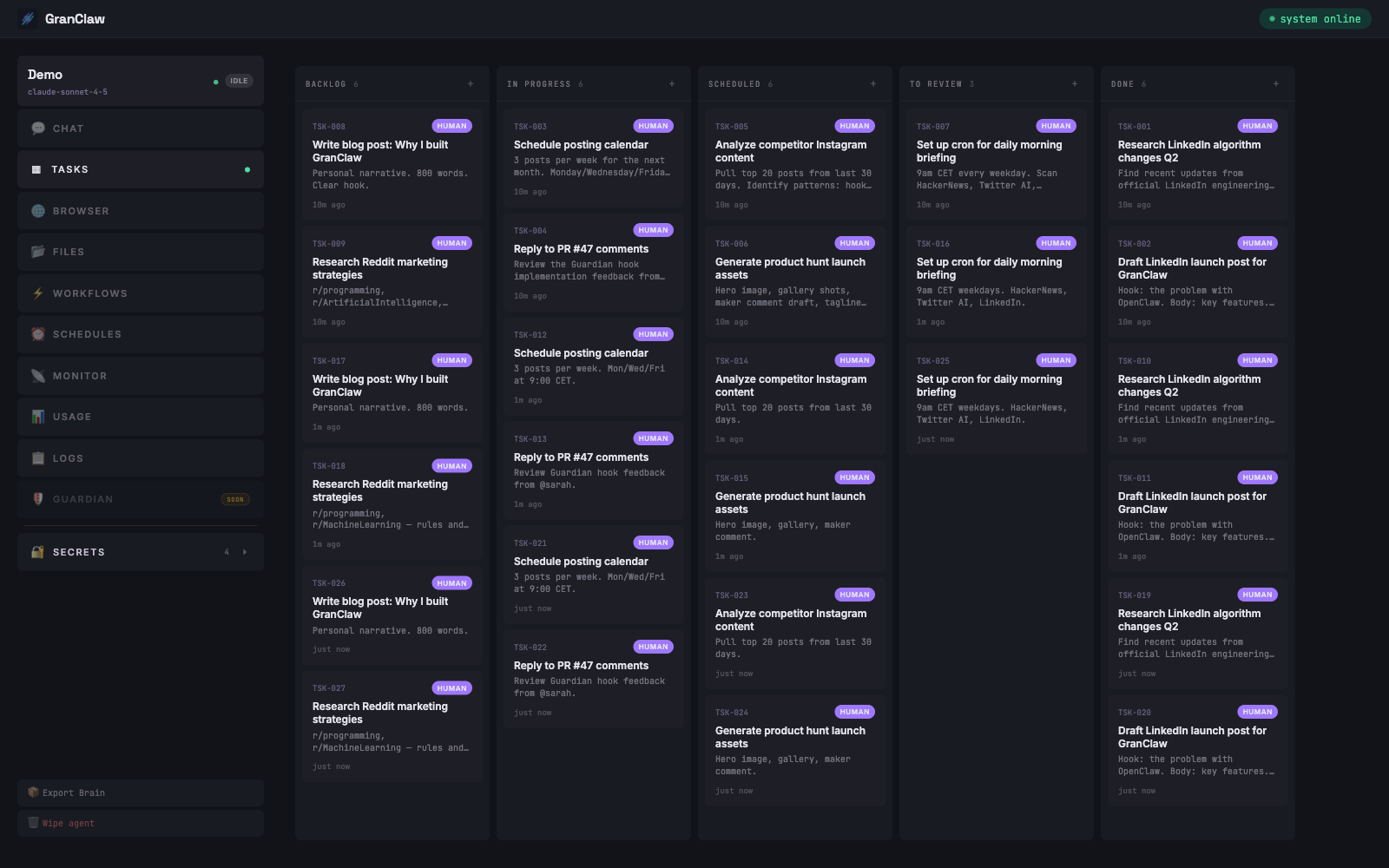
mission-control.mdA built-in kanban board every agent already knows how to use.
Say "plan a LinkedIn launch week" and watch the cards appear, move through states, and report back. Zero configuration.
# Real Browser, Real Sessions
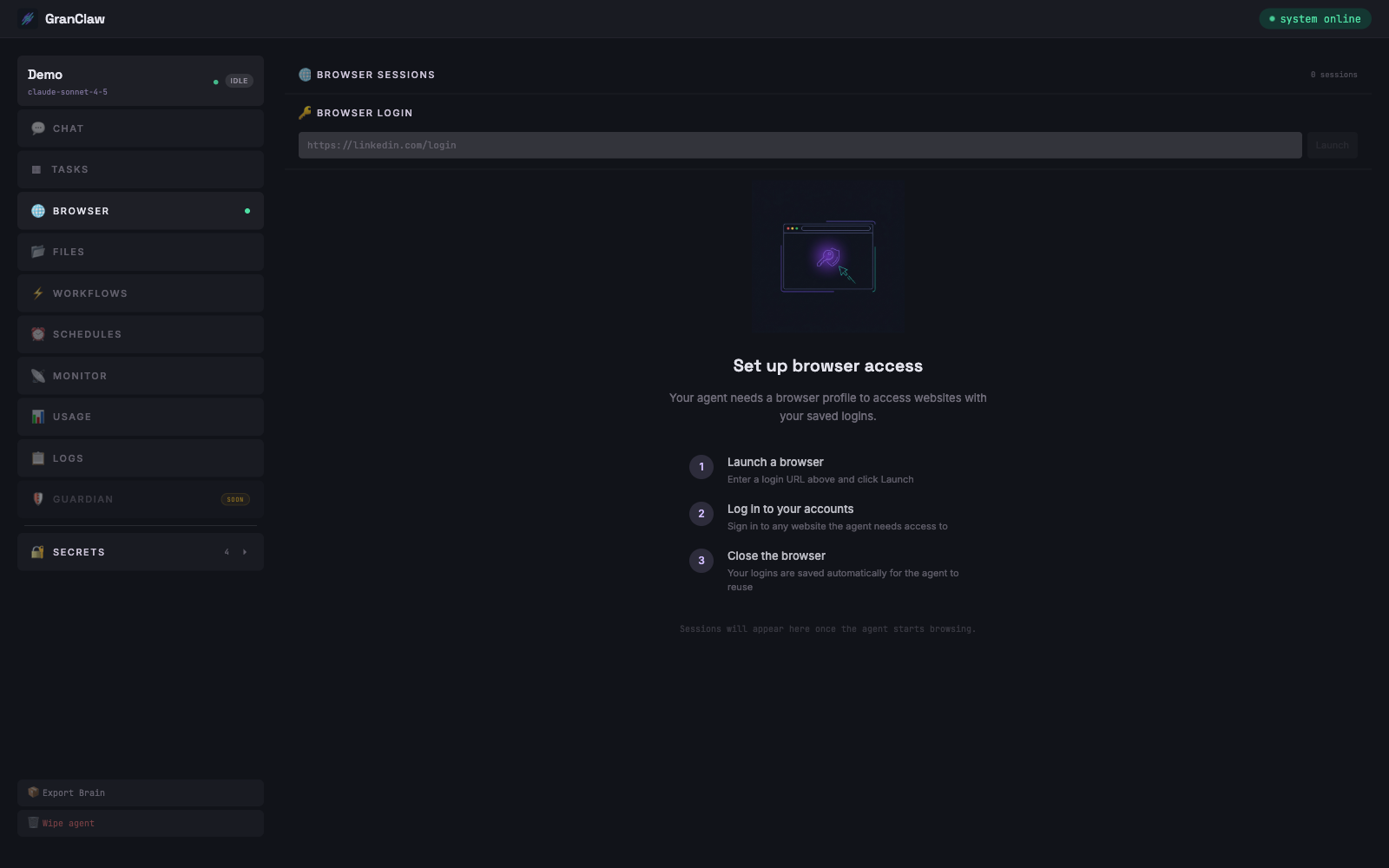
real-browser.mdLinkedIn, Instagram, Reddit, Gmail, your internal tools.
Log in once, save the profile, and the agent reuses it forever. No CAPTCHA loops. No API keys for sites that don't have APIs.
# Watch It Browse
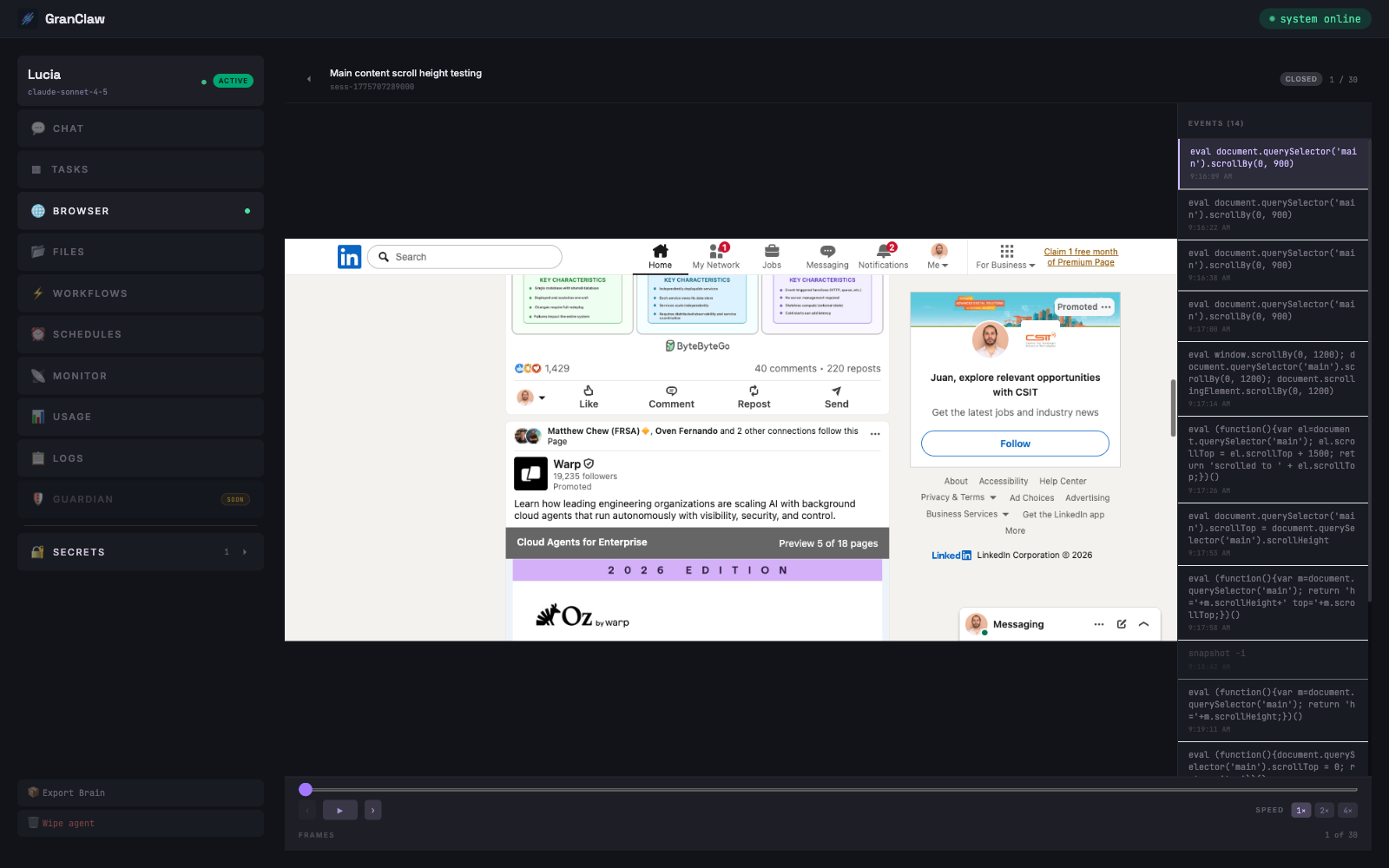
watch-it-browse.mdEvery page, every click, every scroll.
Click any session and you get a timeline of screenshots plus the exact DOM commands the agent ran.
# Everything else. Also built in.
the-wow.mdEvery agent ships with this out of the box. No setup, no plugins, no config.
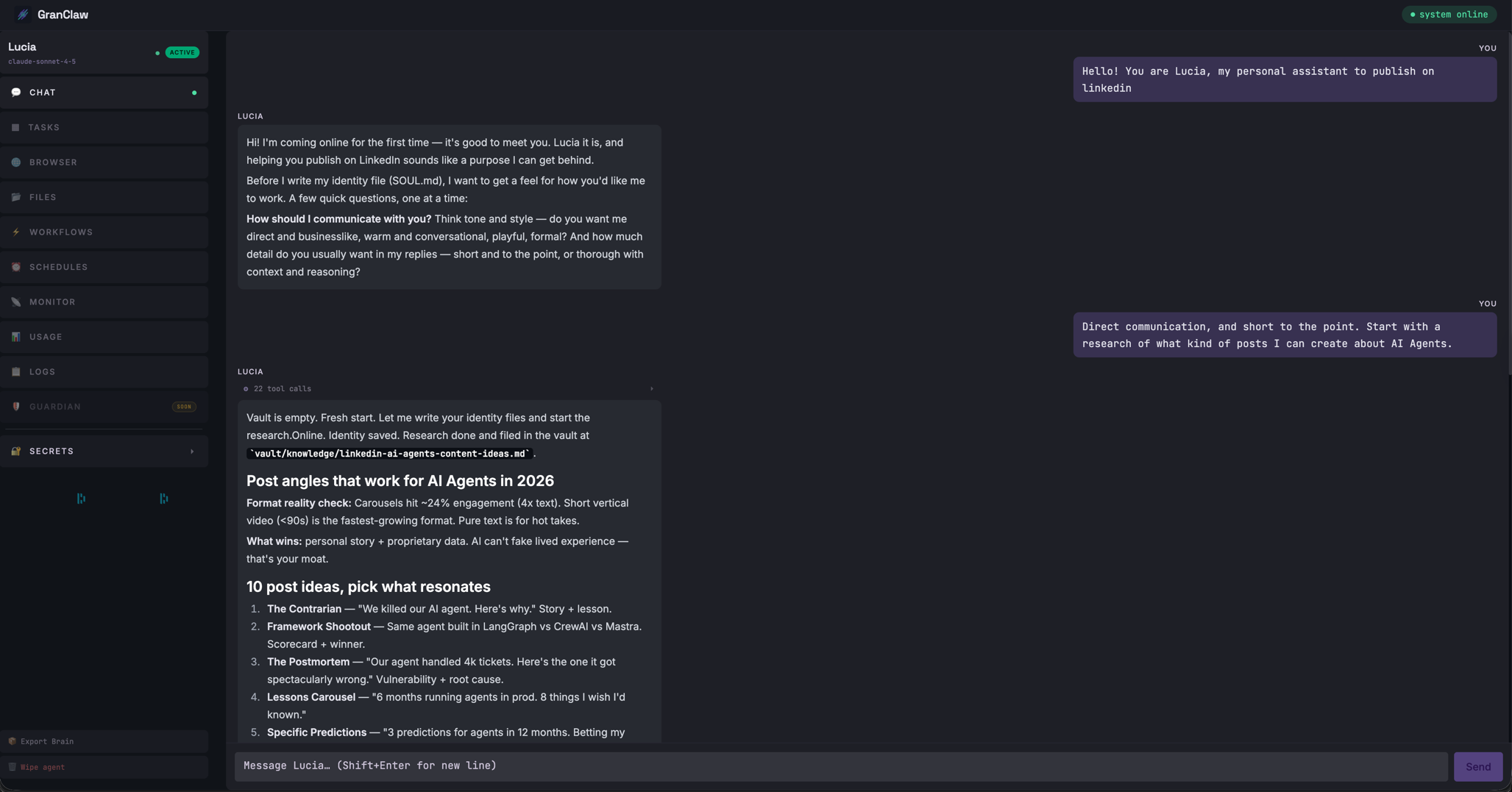
Streaming Chat
Tokens stream live over WebSocket. See the agent thinking in real time. Stop it mid-action. Session memory survives restarts.
Obsidian-native vault
Every agent has its own vault of plain markdown files: daily journals, action logs, topic notes, wikilinks between everything. Open it in Obsidian and browse your agent's brain.
├ journal/2026-04-09.md
├ actions/linkedin-promo.md
├ knowledge/audience.md
└ topics/growth.md
Secrets that stay secret
API keys, bot tokens, credentials added in the UI, injected as env vars only inside the agent process. Never written to files. Never committed.
Know what you're spending
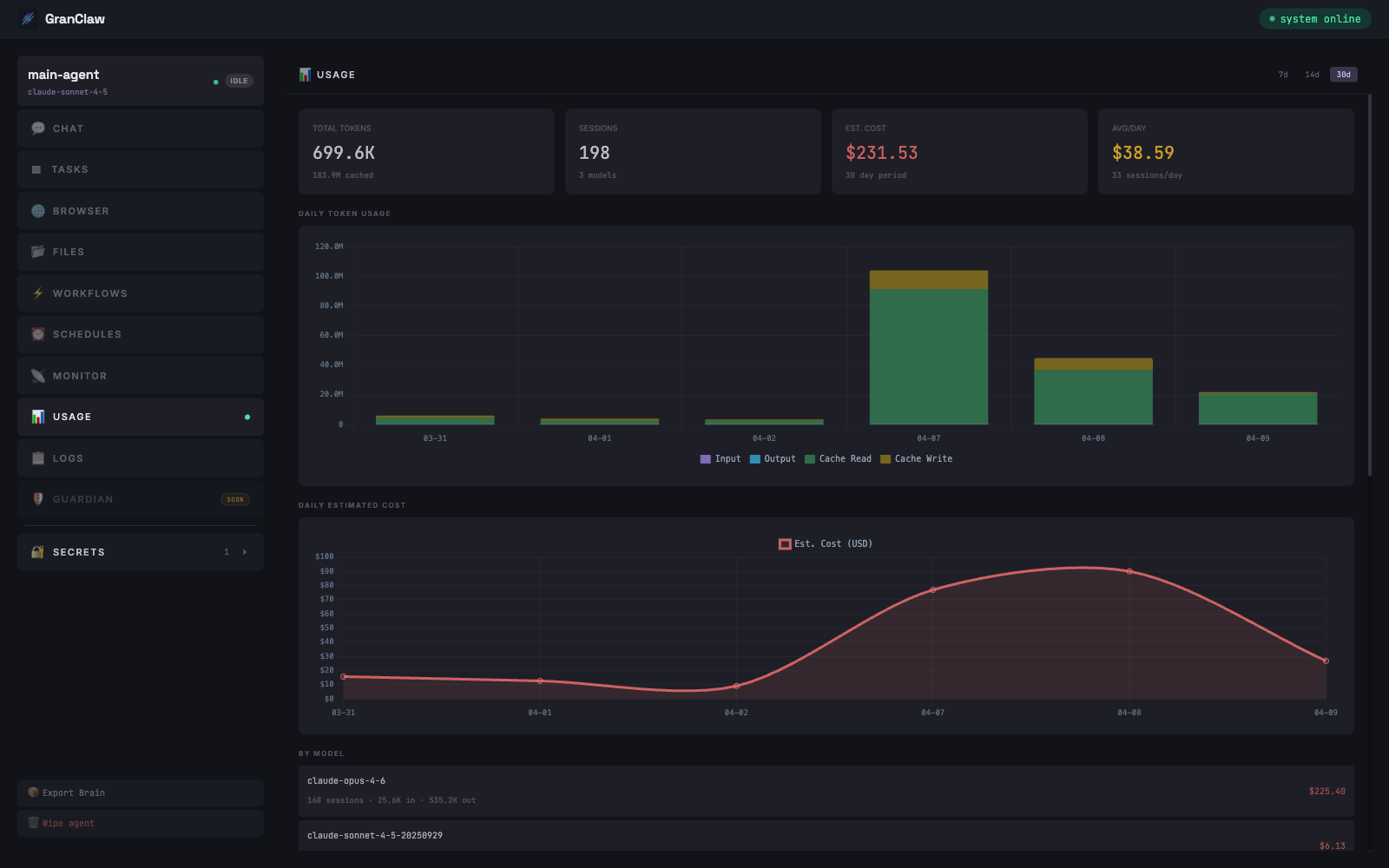
Every token, every session, every day. Cost estimates, cache hit rates, per-model breakdown. No surprises at the end of the month.
Bring your own LLM
Plug in OpenAI, Anthropic, Gemini, Groq, or OpenRouter — one API key and you're running. Switch provider or model from the settings panel, per agent, without restarting anything. No lock-in, no middleman.
Schedules & Telegram
Cron-based scheduled tasks. Agent wakes up at 9am, writes you a summary, and sends it to you on Telegram. Then goes back to sleep.
# Install
install.mdOne command. No clone. No account. Everything local.
Node 20+ and an API key from any supported provider — OpenAI, Anthropic, Gemini, Groq, or OpenRouter. Paste it into the settings panel on first run.
# Why not OpenClaw?
manifesto.mdBecause you want to sleep at night.
GranClaw was built for people who got tired of waiting for features they already needed, fighting vendor lock-in, and worrying about bans on accounts they were paying for. Everything here runs locally, on your machine, from code you can read.
It belongs to you.
Adapt it to your workflow.
Nobody is watching.